Google Business Profile Optimization for Albuquerque: The Local Visibility Playbook
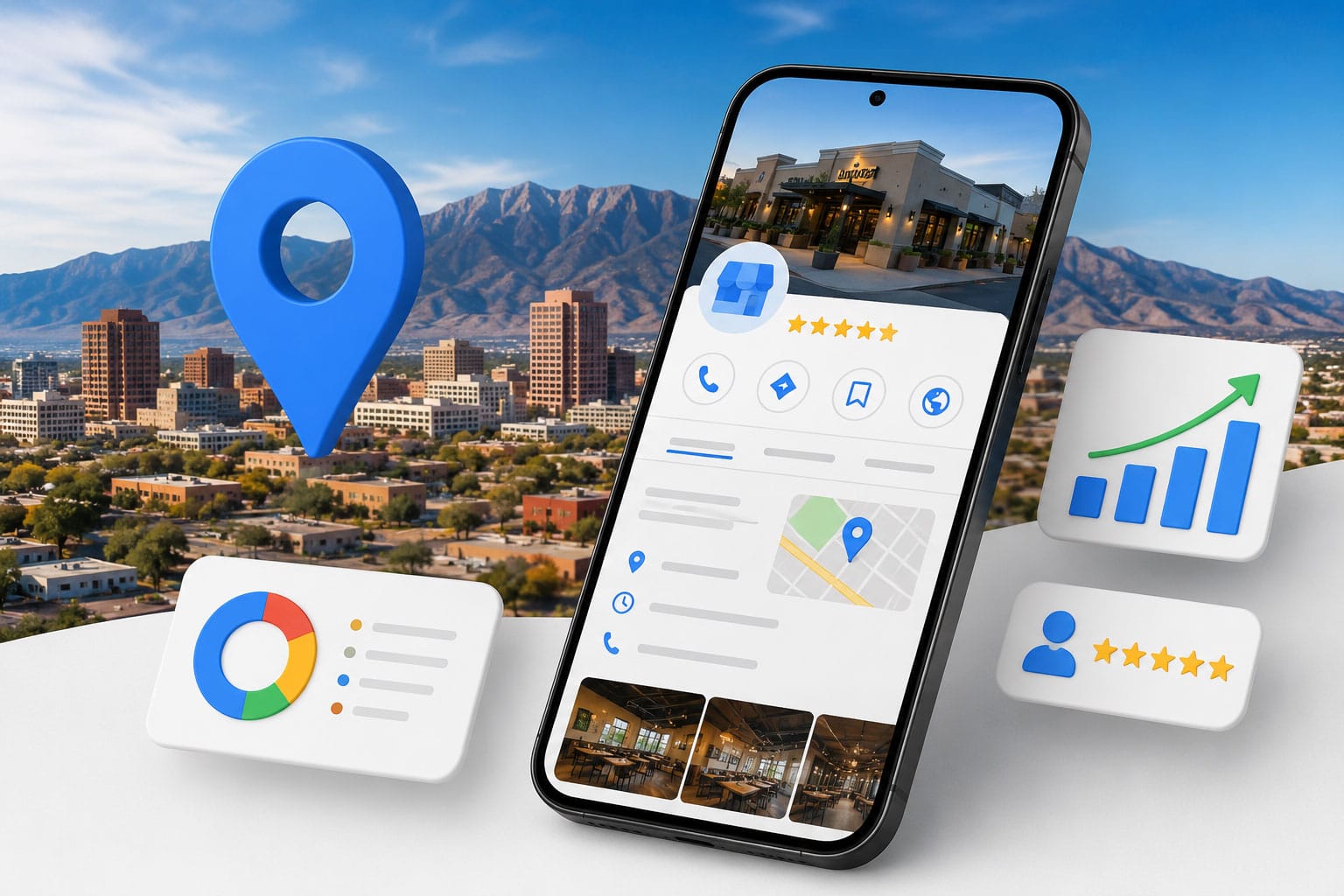
If you could only do one thing to improve your local search visibility in Albuquerque, it would be this: fully optimize your Google Business Profile. We’ve seen businesses jump from page 3 to the map pack in 60 days on this alone — with zero other changes.
Nothing else in local SEO delivers as much return on invested time. The Map Pack — those three listings that appear at the top of Google when someone searches “plumber near me” or “web design Albuquerque” — is driven more by your Google Business Profile than by any other single factor.
This guide tells you exactly how to optimize yours.
Why the Map Pack Matters More Than You Think
The Map Pack — the three business listings that appear at the top of Google results for local searches — receives a disproportionate share of clicks compared to organic results below it. Studies consistently show that Map Pack listings capture between 44 and 61 percent of clicks for local intent searches, which means a business ranking in position one organically but not in the Map Pack is often losing more than half its potential traffic.
For Albuquerque businesses competing in service categories where purchase decisions are made quickly — plumbing, legal services, medical care, home repair — Map Pack visibility is not just an SEO goal, it is a revenue driver. The businesses in those three positions are getting calls that competitors below them are not. That is a direct, quantifiable difference in business outcomes that makes Google Business Profile optimization one of the highest-ROI activities in local marketing.

Where Clicks Actually Go in Local Search
According to the BrightLocal 2023 Local Consumer Review Survey, 87% of consumers read online reviews for local businesses before making a purchase decision. When someone in Albuquerque searches for a local service on Google, the Map Pack appears above the organic results. It gets approximately 44% of all clicks on that page. The #1 organic result below the Map Pack gets about 19%.
Ranking in the Map Pack means your business gets nearly twice the visibility of the best organic ranking. For service businesses in particular — where customers are ready to call — Map Pack placement is the single highest-value local marketing asset available.
Your Google Business Profile is the primary input Google uses to determine Map Pack rankings. The completeness, accuracy, and activity level of your profile directly affects whether you appear — and where.
Step 1: Claim and Verify Your Profile
If you haven’t claimed your Google Business Profile, start there. Go to business.google.com, search for your business name, and claim it if it already exists (Google often creates listings automatically) or create it if it doesn’t.
Verification is required before your profile gains full functionality. Google typically sends a postcard to your business address with a verification code. This takes 5–14 days. Don’t skip it — an unverified profile has severely limited visibility.
Step 2: Complete Every Field — All of Them
Google Business Profile has more fields than most business owners realize, and each completed field contributes to both your profile’s completeness score and your relevance for specific search queries. Beyond the basics — name, address, phone, website, hours — your profile should include a detailed business description with your primary keywords, your full list of services with individual descriptions, product listings where applicable, and your business attributes that signal specific qualities to potential customers.
Albuquerque businesses that complete every available field consistently outrank competitors with identical review counts and proximity because completeness signals to Google that the business is actively managed and authoritative. The business description field alone is frequently under-utilized — most profiles have a one or two sentence description when Google allows up to 750 characters of keyword-rich, customer-facing content that directly influences which searches your profile appears for.
Hours, Special Hours, and Holiday Updates
Most businesses complete the basics and stop: name, address, phone, website, hours. The businesses that dominate the Map Pack in Albuquerque complete everything.
Business Description: SEO and Human Readable
Business description. You have 750 characters. Use them. Describe your services, your experience, your service area, and what makes you different. Include your primary keywords naturally — “Albuquerque web design agency,” “serving Rio Rancho and the East Mountains” — but write for customers, not algorithms.
Business category. Choose the most specific primary category available. “Marketing Agency” is less specific than “Digital Marketing Agency” which is less specific than “Internet Marketing Service.” Specificity aligns your profile with the exact searches your best customers are making.
Add secondary categories for every service line you offer. A business offering web design, SEO, and social media management should have all three reflected in categories.
Services. Add individual services with descriptions. Google displays these in your profile and uses them for search matching. List every service you offer with a brief, keyword-rich description.
Products, Services, and Attributes
Products. If applicable, add your products with photos, descriptions, and prices. These display directly in your profile and drive additional engagement.
Attributes. These small data points — “veteran-owned,” “LGBTQ+ friendly,” “women-led,” “free Wi-Fi,” “wheelchair accessible” — filter search results in ways many businesses overlook. Complete every applicable attribute.
Step 3: Photos — The Underestimated Ranking Factor
Google’s data shows businesses with photos receive 42% more requests for directions and 35% more website clicks than those without. What to upload:
- Logo — used as your profile thumbnail
- Cover photo — the primary visual impression of your business
- Team photos — real people build trust
- Work/project photos — show results, not just capabilities
- Location photos — interior and exterior help customers recognize your space
- Products — if applicable
Upload a minimum of 10 photos to start. Add new photos monthly. Recency of photo uploads is a ranking signal — Google rewards actively managed profiles.
Do not use stock photography. Google can detect it, and customers distrust it.
Step 4: Google Posts — Weekly, Without Exception
Google Posts are short updates — text, photo, video — that appear directly in your profile. They expire after 7 days, which means you need to post at least weekly to maintain visibility.
- What’s New — a tip, a recent project, a team update, a community involvement
- Offer — a promotion, discount, or limited-time service
- Event — workshops, open houses, local events you’re participating in
What the Map Pack Signals to Searchers
Post types that work: The businesses that post consistently — same day, every week — maintain profile freshness signals that contribute to Map Pack rankings. The businesses that post sporadically lose this advantage.
For Albuquerque businesses, anchor posts to local events and seasons: Balloon Fiesta, green chile season, monsoon prep, back-to-school. Local relevance increases engagement.
Step 5: Reviews — Your Most Powerful Conversion Asset
Reviews affect both your Map Pack ranking and your conversion rate once you’re in the pack. A business with 4.8 stars and 120 reviews beats a business with 5.0 stars and 8 reviews every time.
The review acquisition strategy that works: Ask immediately after service delivery. The window of highest customer satisfaction is the hour after a positive experience. A simple text message — “Thanks for choosing us! If you have 60 seconds, a Google review helps us enormously: [direct link]” — converts at 15–25% when sent at the right moment.
Make the link frictionless. Create a short URL using Google’s Place ID that takes customers directly to the review form. No searching, no navigating — one tap to the review box.
Responding to Negative Reviews Without Damage
Respond to every review. Every five-star. Every three-star. Every complaint. Response signals active management to Google and signals genuine customer care to everyone reading. A thoughtful response to a negative review often converts skeptical prospects better than the review itself.
Never incentivize reviews. Google’s terms prohibit offering discounts, gifts, or any incentive for reviews. The penalty for violations — profile suspension — is not worth the risk.
Step 6: Q&A — Control the Narrative
The Q&A section of your Google Business Profile is one of the least managed and most important features available to local businesses. Questions can be asked by anyone — including competitors — and if you do not answer them, anyone can. Proactively seeding your own Q&A with the questions your customers most frequently ask, answered in your own words, gives you control over the information that appears on your profile and ensures that common objections are addressed before a potential customer even clicks through to your site.
For Albuquerque businesses, the most valuable Q&A entries address the questions that would otherwise require a phone call: service area, pricing range, parking availability, appointment requirements, and what distinguishes your business from competitors. Each of these answers keeps potential customers engaged with your profile longer and reduces the friction between their initial search and their decision to contact you.
Seeding Questions You Want Answered
The Q&A section of your Google Business Profile allows anyone to ask a question — and anyone to answer it. If you don’t seed and manage this section, competitors or misinformed third parties can.
Add 5–10 questions and answers yourself. Cover the most common questions your customers ask: pricing range, service area, hours, what’s included, how to get started. Use your keywords naturally in the answers.
Monitoring for Misinformation and Spam
Monitor the section monthly and respond to any questions posted by others. Flag any inaccurate answers for removal.
Step 7: Track Performance and Iterate
Google Business Profile Insights shows you how customers find and interact with your profile: searches (direct brand searches vs. discovery searches), views, direction requests, website clicks, and phone calls.
Review these metrics monthly. A high view count with low phone calls suggests your profile needs a stronger CTA or better offer. High direction requests with low website visits suggests local foot traffic is working but digital conversion isn’t.
The businesses that dominate local search in Albuquerque are not those who set up their profile once. They’re the ones who treat it as an active marketing channel — updated, optimized, and monitored consistently.
Get a Google Business Profile audit for your Albuquerque business → *Design It Right is a full-service digital marketing agency based in Albuquerque, NM, helping local businesses dominate local search since 1992. Call (505) 596-0886.*
Frequently Asked Questions
About the Author: Mike Jennings is one of the founders and lead developer at Design It Right, a national digital marketing agency. With over 30 years of experience building websites and growing businesses online, Mike has worked with clients across New Mexico, Texas, California, and beyond. Questions? Reach him at [email protected].
Businesses with 4.6 stars and 200 reviews almost always outperform competitors with 5.0 stars and 12. Volume and recency beat perfection every time.